How to Personalise a Digital Gift Card and Make It Memorable
11/05/2026
Digital gift cards have come a long way from feeling like a last-minute gift. Done well, a personalised digital gift card can feel thoughtful, exciting, and genuinely meaningful. The difference comes down to the experience around the gift: the design, the message, the timing, and the personal touches that make someone feel truly seen.
With eGift it, customising a digital gift card is simple, and all the personalisation features are included free. Here’s how to turn a digital gift card into something they’ll actually remember.
Choose an eGreetings Card Design for the Occasion
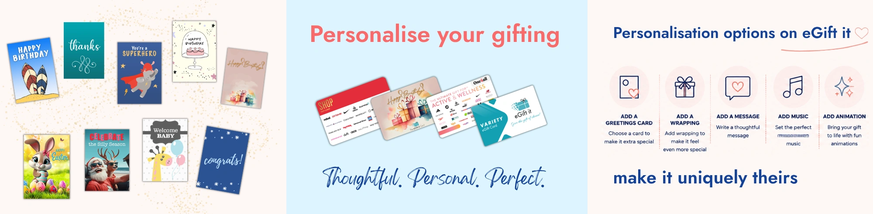
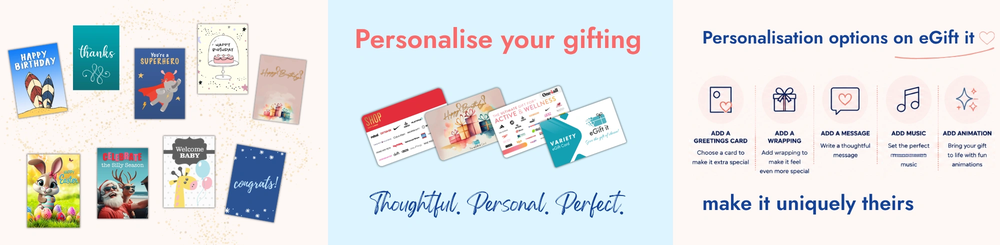
eGift it offers a wide range of themed digital greeting card designs for birthdays, anniversaries, Christmas, Mother’s Day, thank you gifts, congratulations, new babies, graduations, and many more occasions and events. Choosing a design that matches the occasion instantly makes the gift feel more personal and intentional. Whether you choose something bright and playful or elegant and heartfelt, the right design helps create an emotional connection before they’ve even opened the gift. It’s a simple detail, but it makes a big difference.
Add Digital Gift Wrapping for a Fun Unwrapping Experience
One of the things people love most about receiving gifts is the anticipation of opening them. That’s why eGift it includes digital gift wrapping options that virtually unwrap their gift card instead of a simple plain email. It recreates that little moment of excitement we associate with traditional gifting and brings it into the digital world. The experience feels more interactive, more celebratory, and far more memorable than a standard gift card delivery.
Write a Personal Message They’ll Remember
If there’s one feature that transforms a gift card from convenient to meaningful, it’s the personal message. Adding your own words instantly changes the experience. It doesn’t need to be long or overly polished. Sometimes the messages people treasure most are the simple ones: a funny memory, an inside joke, words of encouragement, or a heartfelt thank you. A personalised message reminds the recipient that you chose the gift specifically for them, and that emotional connection is often remembered long after the gift card itself has been spent.
Add Music and Animation for a More Immersive Gift Experience
One of the most unique features available on eGift it is the ability to add music and animations to your digital gift card. Instead of simply receiving a link, your recipient experiences an interactive moment complete with sound, movement, and celebration. Imagine their gift card opening with an upbeat song, or a sentimental track accompanying your special message. Music has a powerful way of creating emotion and making moments feel more memorable. Combined with animation, it transforms a digital gift card into an experience rather than just a transaction.
Schedule Your Gift Card Delivery for the Perfect Moment
Timing can make a gift feel even more special. With eGift it, you can schedule your digital gift card to arrive exactly when you want it to, whether that’s midnight on someone’s birthday, Christmas morning, or the final day of someone’s job before maternity leave or retirement. Scheduled delivery helps your gift arrive at the perfect moment, even if life gets busy behind the scenes. It’s thoughtful, convenient, and takes the stress out of remembering important dates.
Why Personalised Digital Gift Cards Feel More Meaningful
The real magic happens when all these personalisation features come together. A carefully chosen design. A heartfelt message. Interactive wrapping. Music that sets the mood. Perfectly timed delivery. Together, these small details create a gifting experience that feels personal, emotional, and memorable. That’s what makes personalised digital gift cards so effective. They combine convenience with genuine thoughtfulness, giving people the flexibility to choose what they love while still feeling truly celebrated.
And with eGift it, every one of these personalisation features is included at no extra cost, because gifting should feel personal from start to finish.

